Nineteen home services, zero IP addresses to remember
Giving 19 home services short .local names with Avahi and Caddy on a Raspberry Pi 4, including the 5-second lookup delay caused by a missing IPv6 record and a config edit Docker never saw.

Every device on a home network has a numeric address, and most self-hosted apps add a port number on the end. Opening my Git server meant typing something like http://10.0.0.23:8080, and every service on the NAS, the Mac mini, the Windows PC and the Raspberry Pi had its own string like that. I couldn't remember them, and nobody else in the house was ever going to.
Now every service has a plain name. Type code.local or dashboard.local on any phone, tablet or laptop in the house and the page opens. There's nothing to install on those devices, nothing to change on the router, and no DNS server to run. Bookmarks keep working when a service moves to a different machine, because the name stays the same and one line on the Pi changes.
| Before | After |
|---|---|
http://10.0.0.23:8080 |
http://code.local |
http://10.0.0.41:3001 |
http://monitor.local |
| A different address and port for every service | One short name per service, the same on every device |
The addresses above are examples, not my real ones.
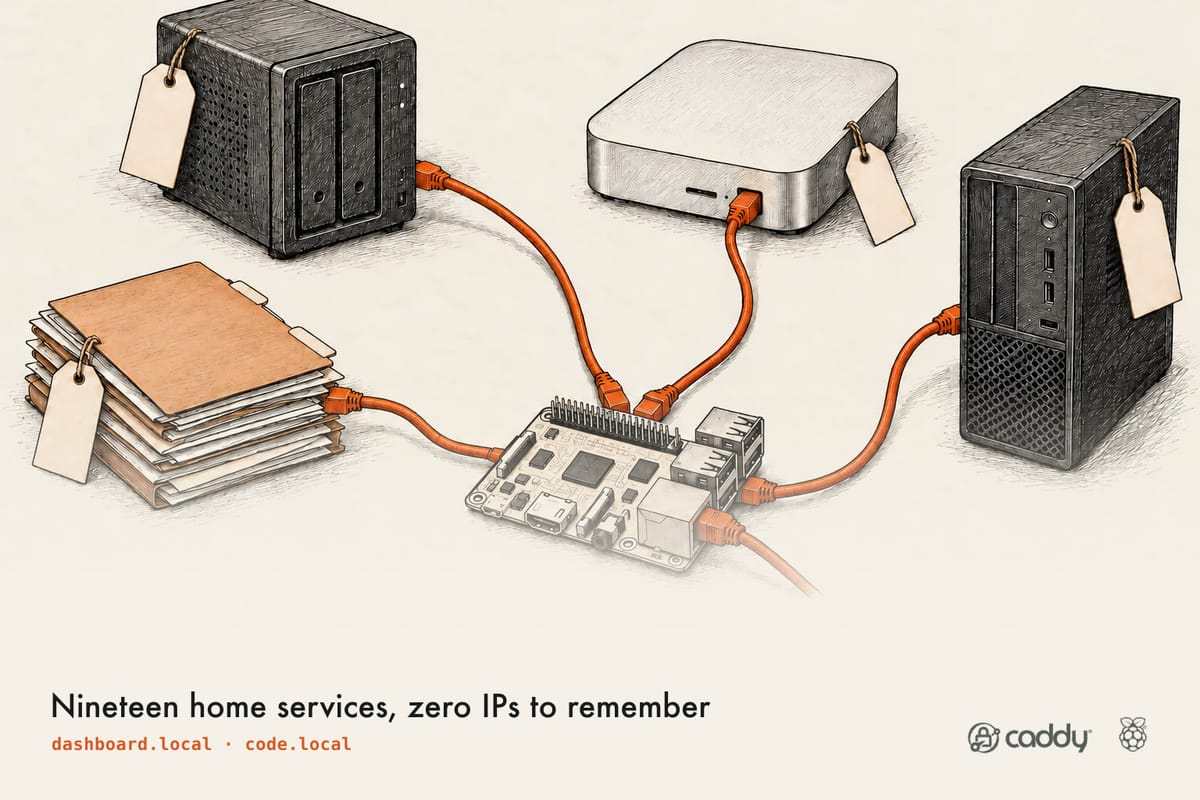
It runs on a Raspberry Pi 4 with two pieces: names announced on the network with Avahi, and Caddy passing each request to the right place. There are 19 names on it now. One catch remains, a five-second delay on some lookups, and it's covered below.
How it works
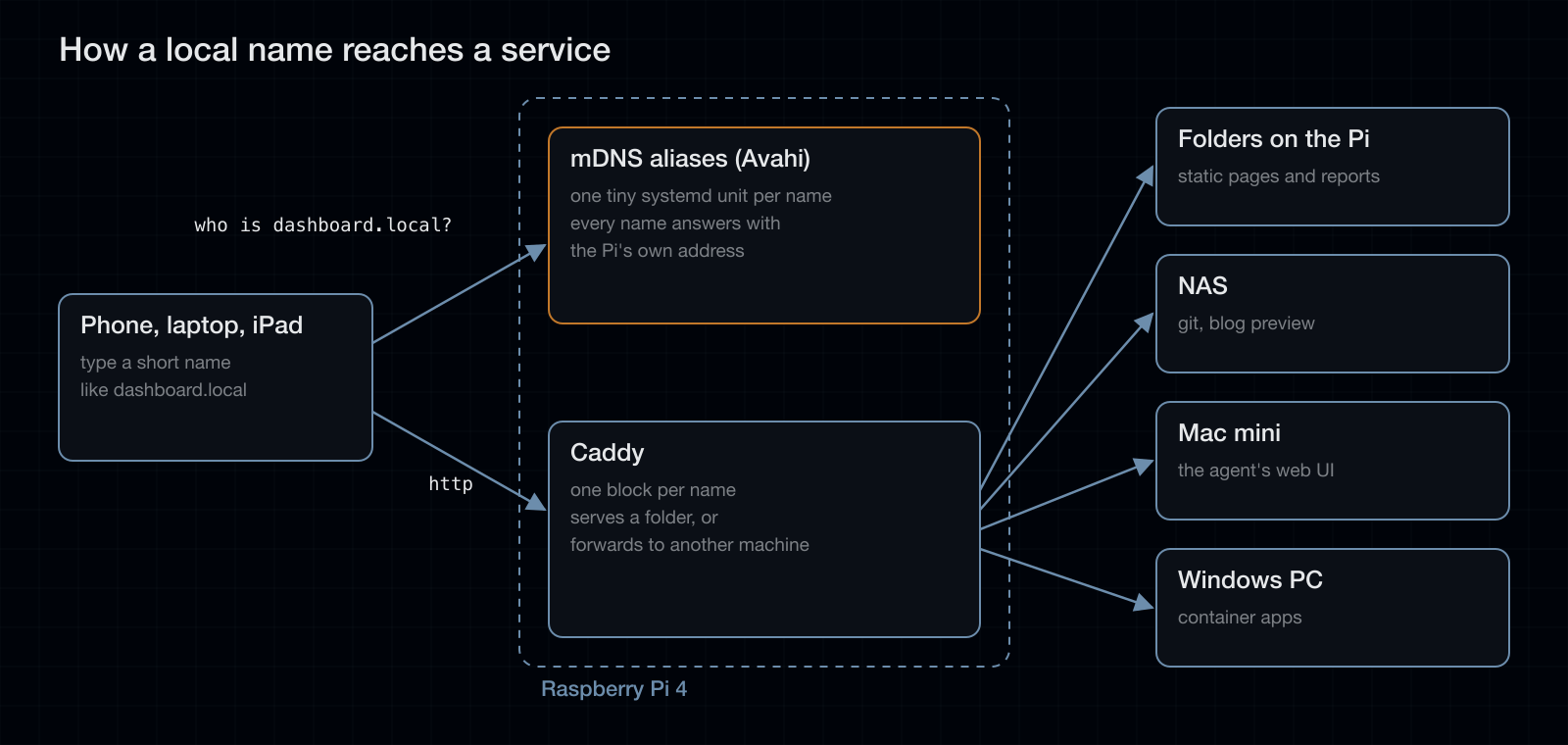
Every name resolves to the Pi, regardless of which machine actually runs the service. Caddy on the Pi looks at the requested name and either serves a folder of files or forwards the request to the machine that runs the service. The serving machines don't need to know their names, and moving a service to different hardware means changing one line on the Pi.
The Pi works like a receptionist. Every call comes to the front desk, and Caddy transfers it to the right desk. That's all a reverse proxy is.
| Name typed | What the Pi does |
|---|---|
dashboard.local |
Serves a folder of files stored on the Pi |
code.local |
Passes the request to the Git server on the NAS |
blog.local |
Passes it to the blog, rewriting the headers on the way |
| a name with no rule | Returns an empty page (more on that below) |
mDNS and Avahi
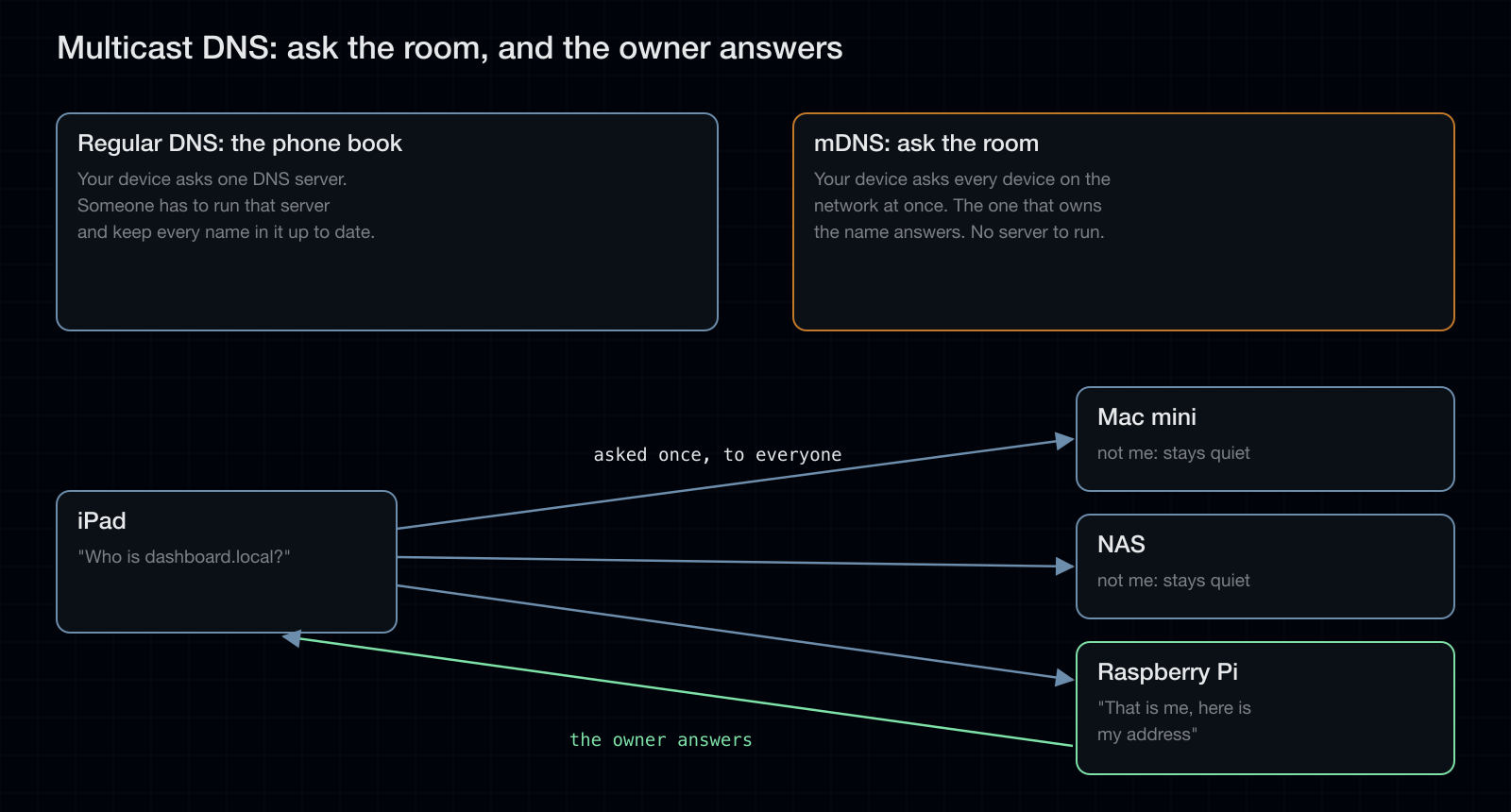
Names ending in .local are resolved by multicast DNS, defined in RFC 6762. Regular DNS works like a phone book: one server holds every name, and someone has to keep it up to date. Multicast DNS works like asking a room. Your device asks every device on the network at once, and the owner of the name answers. Nobody is in charge, and it works anyway. Apple devices support it out of the box, Linux uses Avahi, and Windows needs Apple's Bonjour installed.
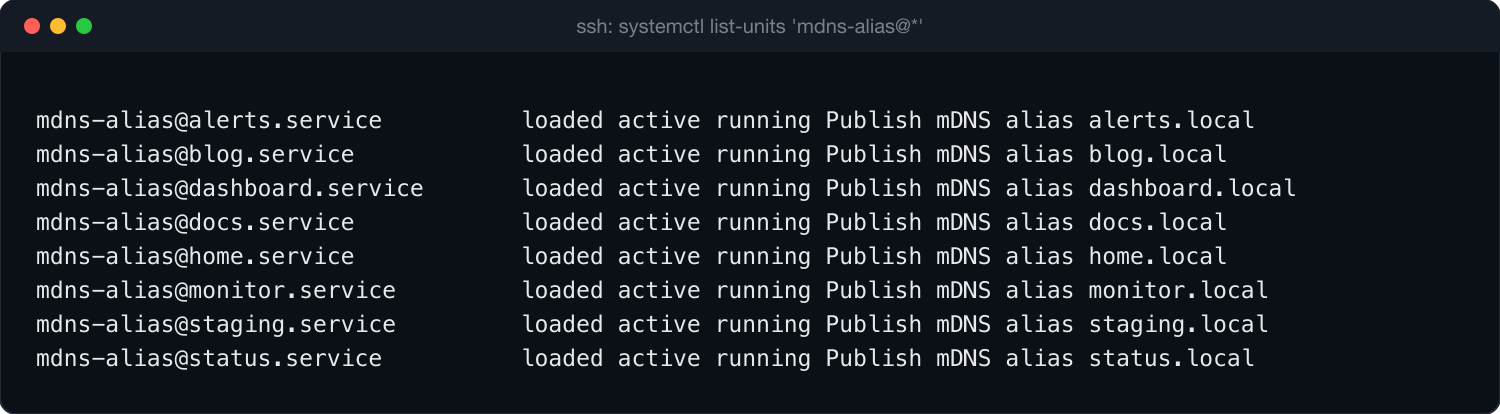
Avahi can announce extra names for a host with avahi-publish. Debian has no tool for publishing an alias directly, so a short script publishes each name as an address record pointing at the Pi's current IP:
#!/bin/bash
# Publish <name>.local as an mDNS A record pointing at this host current IP.
name="$1"
ip="$(ip -4 route get 1.1.1.1 2>/dev/null | awk "{for(i=1;i<=NF;i++) if(\$i==\"src\") print \$(i+1)}" | head -1)"
[ -z "$ip" ] && exit 1
exec /usr/bin/avahi-publish -a -R "${name}.local" "$ip"
A systemd template keeps one copy running per name and restarts it if it exits:
[Unit]
Description=Publish mDNS alias %i.local
After=network-online.target avahi-daemon.service
Requires=avahi-daemon.service

[Service]
Type=simple
ExecStart=/usr/local/bin/mdns-alias %i
Restart=always
RestartSec=5

[Install]
WantedBy=multi-user.target
Adding a name is one command, for example sudo systemctl enable --now mdns-alias@notes.
Caddy
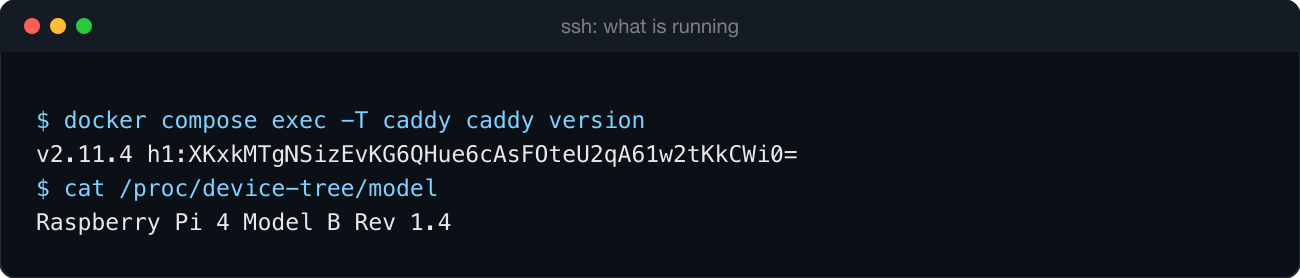
Caddy 2.11.4 runs in Docker with host networking. Two patterns in the Caddyfile cover nearly every service:
# A folder of files on the Pi
http://dashboard.local {
    root * /srv/dashboard
    file_server
}

# A service on another machine
http://code.local {
    reverse_proxy <NAS address>:8080
}
The http:// prefix matters. Without it, Caddy assumes HTTPS and tries to obtain certificates for names that no certificate authority will issue.
The reverse_proxy directive can also change the request on the way through. My blog only serves draft previews to requests that look like they came through its public address, so the local preview name rewrites the headers to match:
http://blog.local {
    reverse_proxy <NAS address>:<blog port> {
        header_up Host blog.example.com
        header_up X-Forwarded-Proto https
    }
}
What I run on it
The names are most useful for things I've built myself, which no app store sells:
- A price tracker for Amazon Fresh. Every night it checks prices on the groceries I actually buy and flags the real deals.
- Research reports laid out as zines, because a long report is easier to read as a designed magazine than as a document.
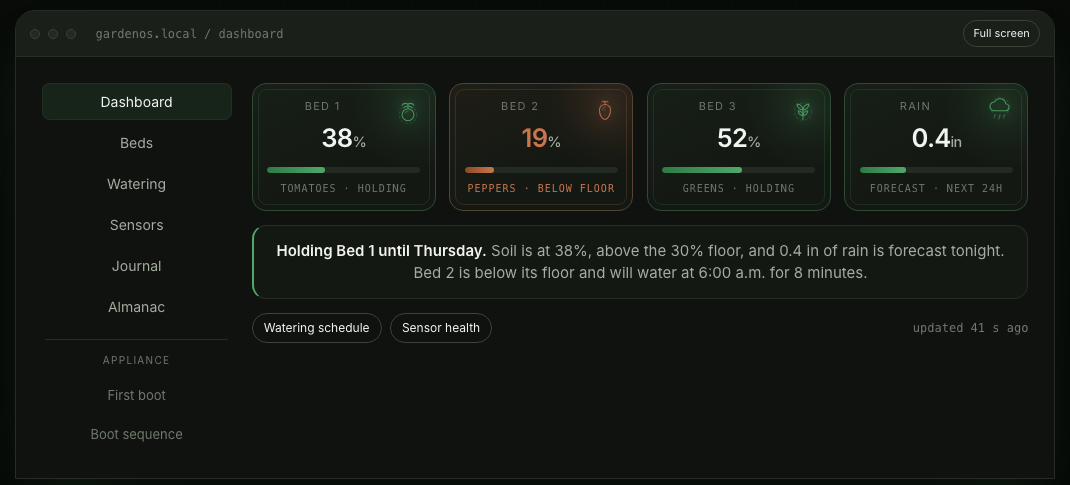
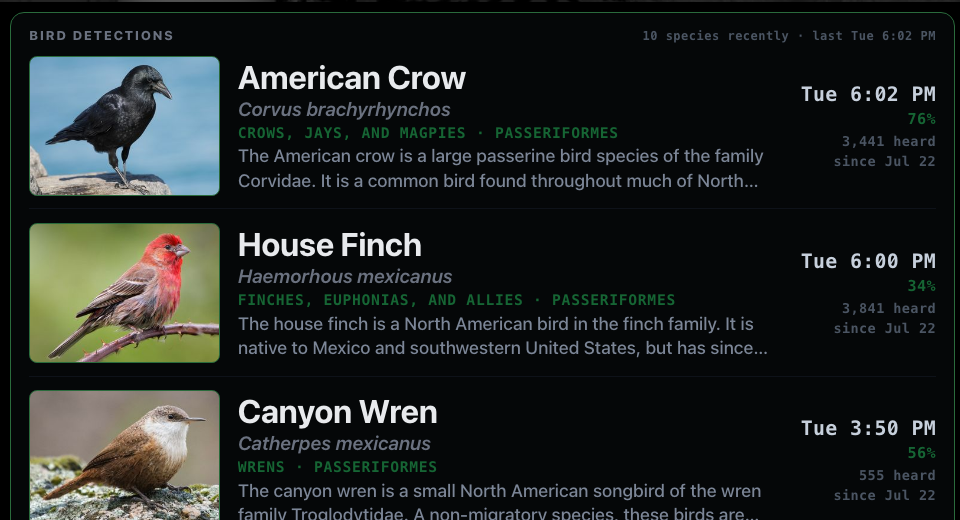
- The garden: bird detections from BirdNET-Go, which identifies birds from a microphone outside, and GardenOS, the watering controller I'm building.
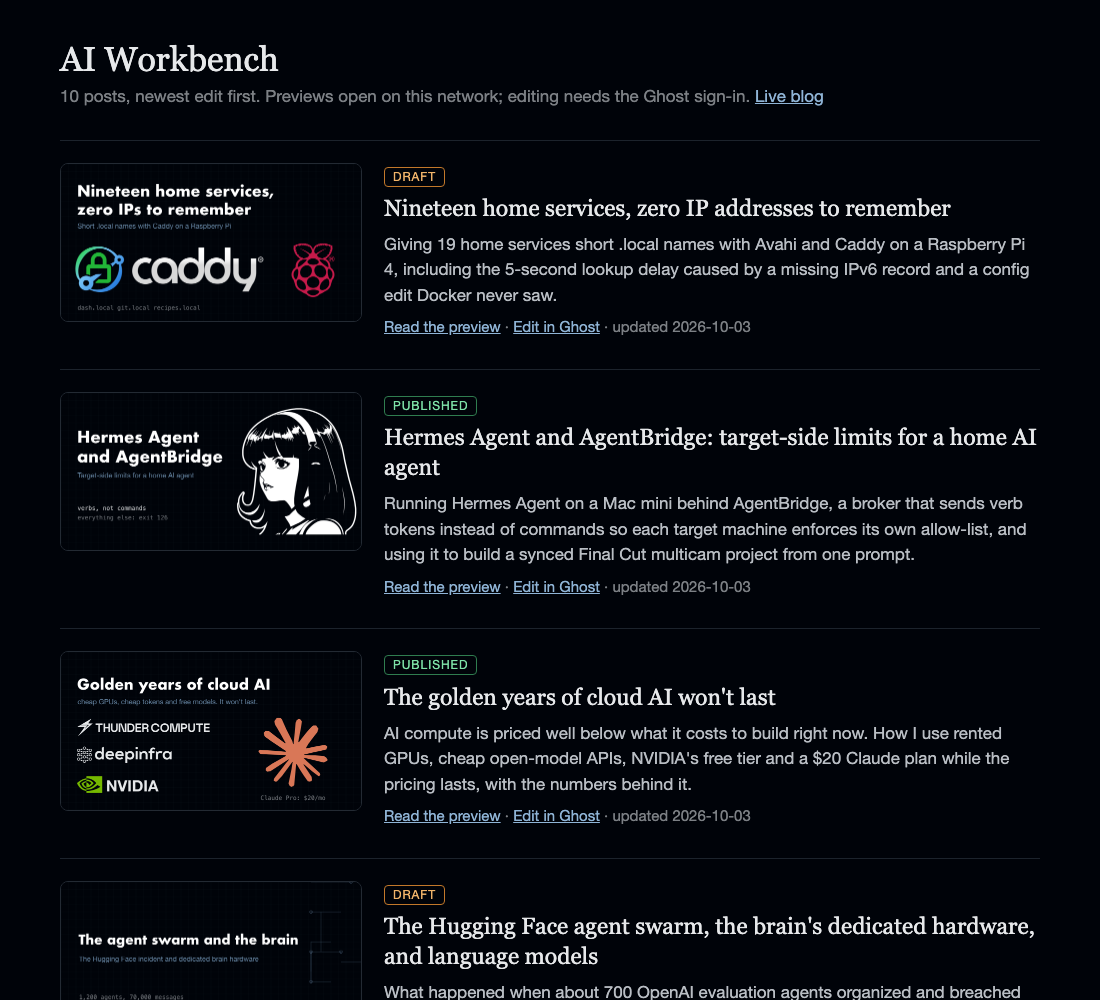
- This blog's post list, showing which posts are drafts and which are live, with preview links that only work at home.
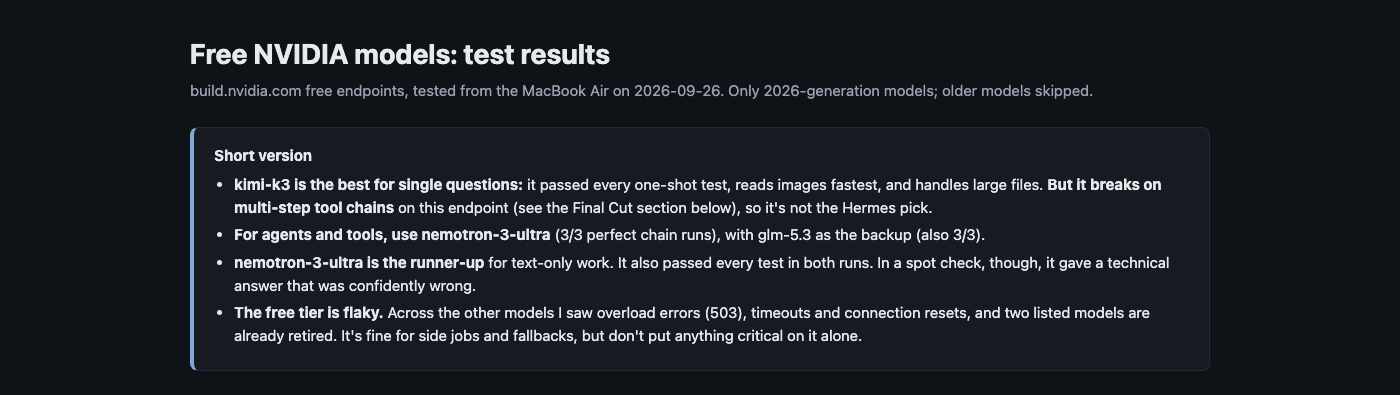
- Test results and project documents, each a folder plus four lines of config.
My AI agent publishes here too. Hermes researches a topic with its Reddit tool, writes up the findings, and publishes the report as a page on one of these names through AgentBridge's publish verb, which I described in the Hermes post.

Editing the Caddyfile
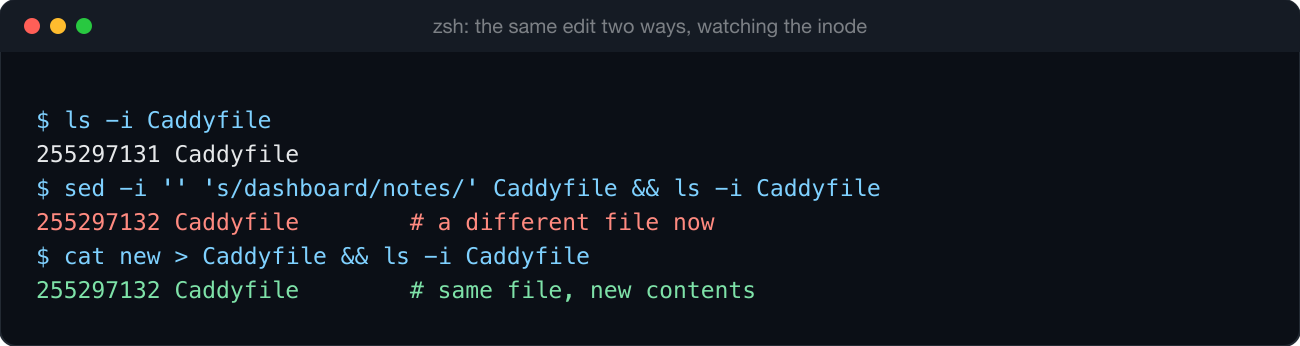
One thing to know before editing it. I added 15 names in one edit, reloaded Caddy, and every new name returned a success code with an empty page. Successful, technically.
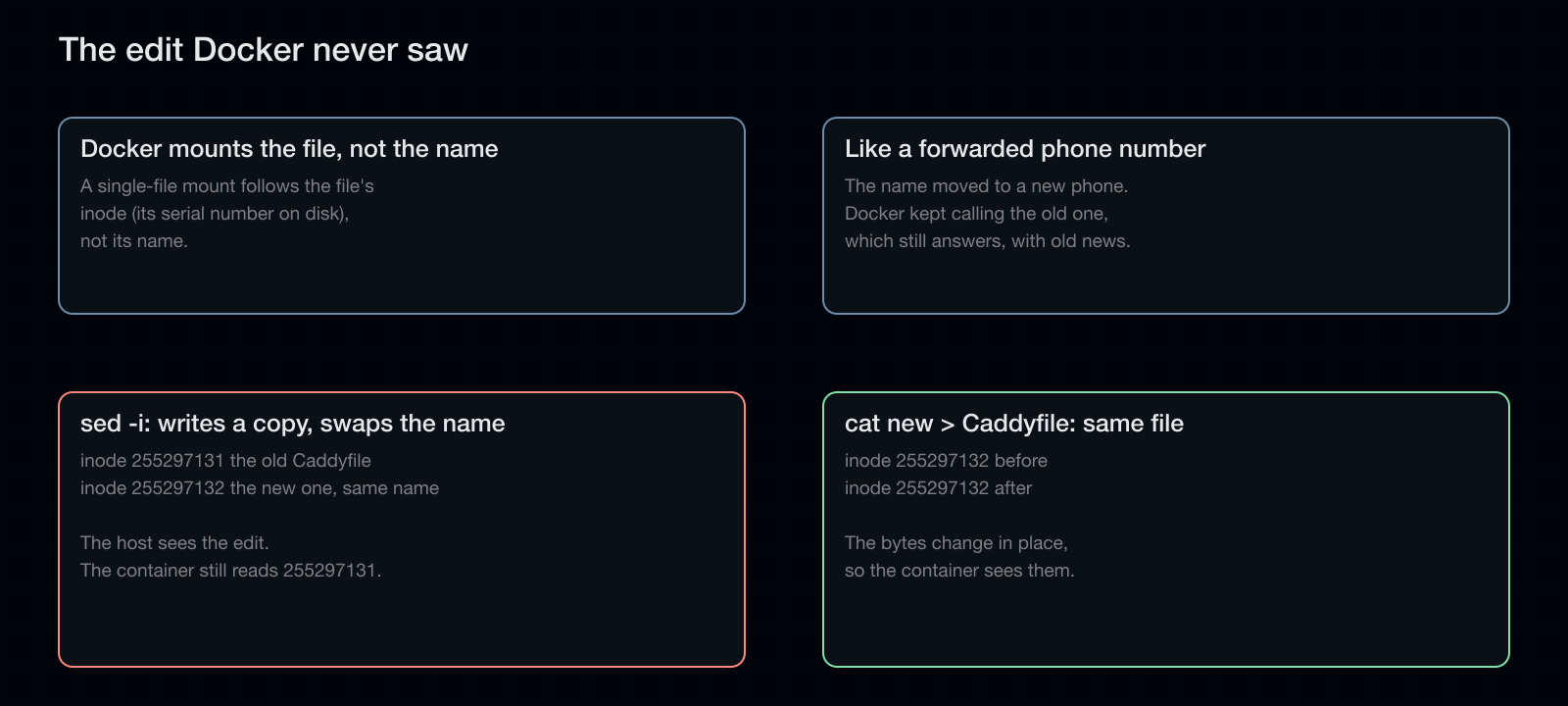
- The Caddyfile is mounted into the container as a single file, and Docker binds a single-file mount to the file's inode, not its path.
- The editor I used,
sed -i, writes a new file and renames it over the old one. The host file had the changes, and the container still read the old inode. - Caddy answers names it has no rule for with an empty 200, so nothing errored.
- Fix: edit shared files in place (
cat new > Caddyfile), recreate the container if the inode has already changed, and verify pages by content and size rather than status code.
It works like a forwarded phone number. The name moved to a new phone, and Docker kept calling the old one, which still answered, with old news.
Outside the house
.local names only work at home, and that's by design. The ending is reserved for asking the room, and iPhones and Macs never send a .local lookup anywhere else, not even over a VPN. So every service also has a second name under a subdomain of a domain I own, like code.home.example.com.
That subdomain has no public DNS record, so on the open internet the names don't exist. On my own devices, Tailscale has one split DNS rule: lookups for that subdomain go to a tiny DNS server on the Pi, which answers every name with the Pi's own Tailscale address. From there Caddy does what it does at home and passes the request to the right machine. The phone only ever talks to the Pi, so no subnet router is needed and nothing is opened to the internet.
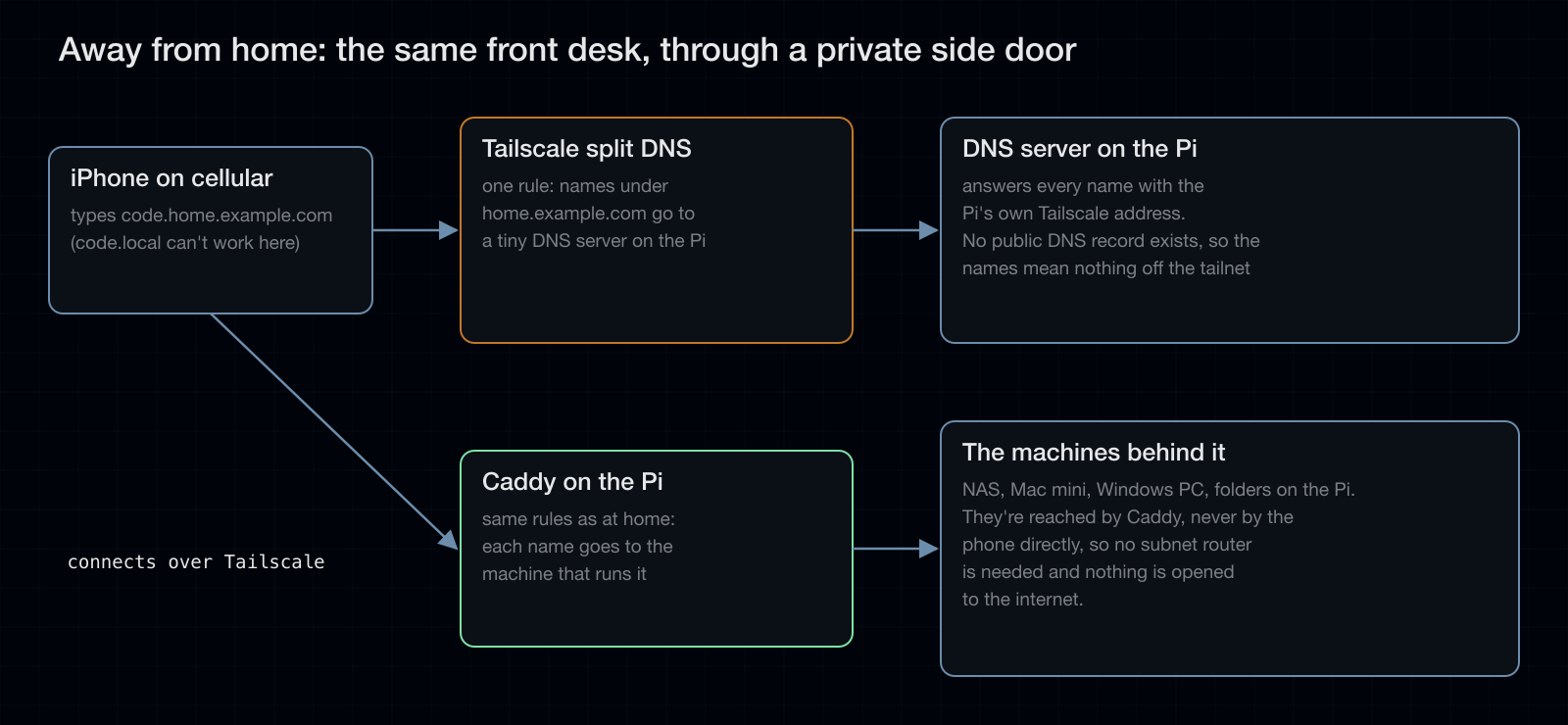
| At home | Away, on Tailscale | |
|---|---|---|
| Name | code.local |
code.home.example.com |
| How it's found | asking the room (mDNS) | Tailscale split DNS to the Pi |
| Lookup delay | five seconds (see below) | none |
These are ordinary DNS answers, so the five-second wait described next doesn't happen away from home.
Why not regular DNS, or Tailscale's own names?
Update, October 3, 2026: added after a reader asked.
- Regular DNS means running a DNS server and pointing every device in the house at it, usually through the router. My router won't let me change the DNS server it hands out, and mDNS needs no server at all.
- Tailscale's MagicDNS gives each machine a name, not each service. The NAS alone runs several services, so I'd be back to one name plus a different port for each. MagicDNS also only works on devices signed into Tailscale, while
.localnames work on anything in the house, including an old iPad that can't run Tailscale.
I still use Tailscale names to reach whole machines, and away from home the split DNS rule above does the per-service job.
The one caveat to this setup
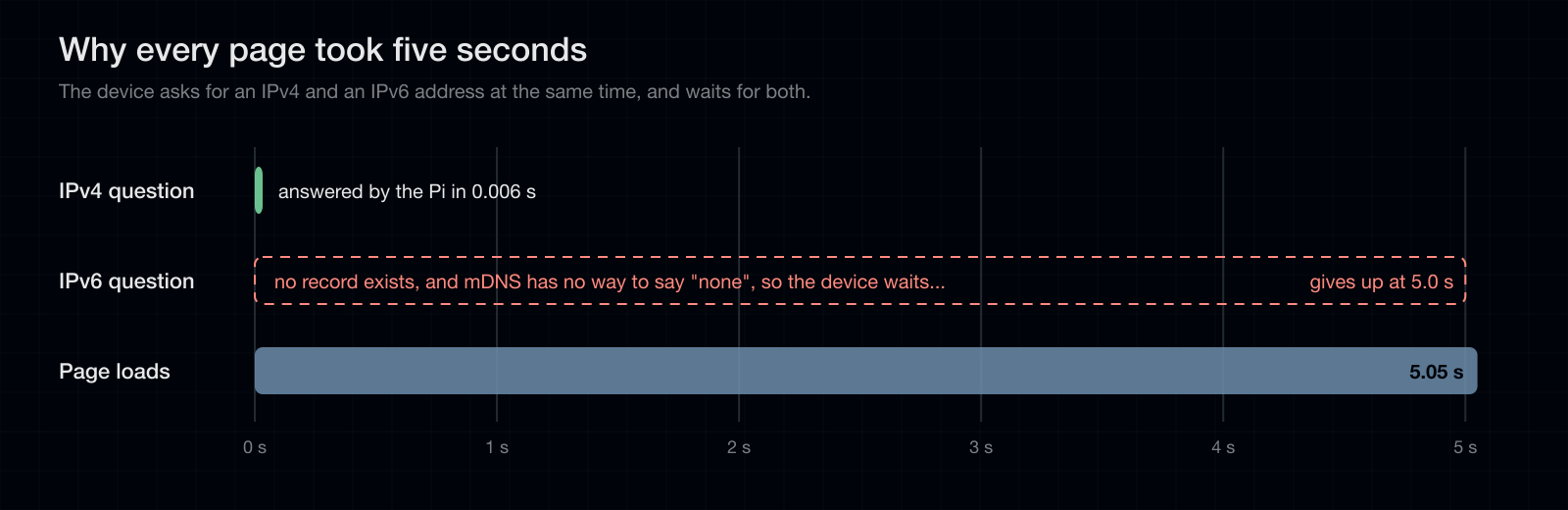
Every name took five seconds to start loading in some clients. Caddy answered in well under a tenth of a second, so the time was going somewhere before Caddy ever saw the request: name resolution.
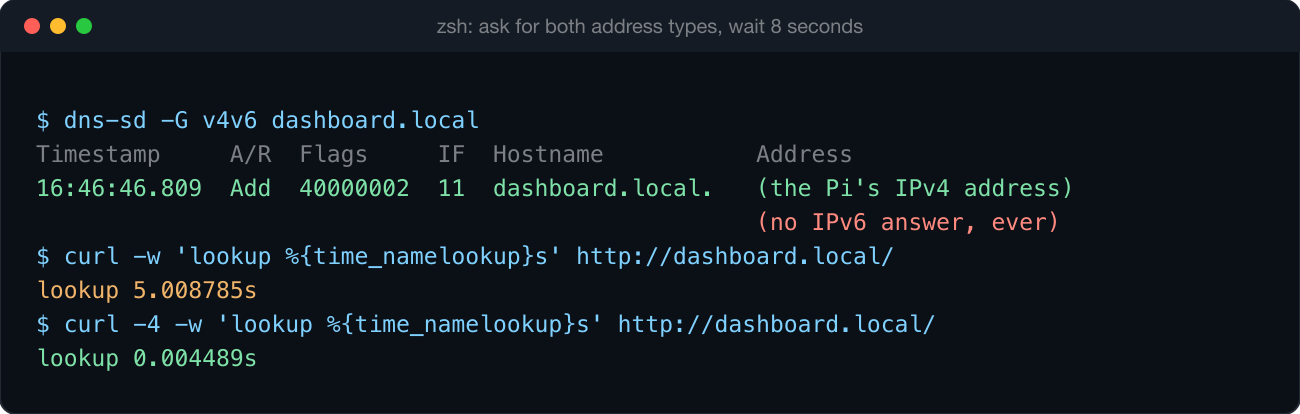
A client resolving a name asks for an IPv4 address and an IPv6 address at the same time. The script only publishes the IPv4 record, and mDNS has no way to answer "there is no such record," so the client waits for the IPv6 query to time out before using the IPv4 answer it already has. Five seconds of waiting for an answer that was never coming.
- Measured again with
curlon October 3: 5.009 s for the lookup by default, 0.004 s with-4. - Browsers that cache the result only pay it on the first visit.
- The fix is to publish a matching IPv6 record for each name. That isn't done yet.
Results
| Names published | 19 |
| Hardware | Raspberry Pi 4 Model B, 8 GB |
| OS | Debian 13 |
| Caddy | 2.11.4 |
| Lookup, default | 5.009 s |
| Lookup, IPv4 only | 0.004 s |
The lookup numbers are from one Mac on my network. Clients that don't ask for IPv6 first won't see the delay.
Conclusion
Caddy and a Raspberry Pi 4 turned out to be the right pair for this. The Caddyfile is short and readable, reloads don't drop connections, and it hasn't needed attention since. An 8 GB Pi has plenty of headroom: alongside Caddy and the name publishing it runs a monitoring stack, Home Assistant and a wall display. My one complaint about Caddy is that it returns an empty 200 for names it has no rule for instead of an error, which is how the broken edit went unnoticed. The real limits are in mDNS, not the hardware: .local names only work inside the home network, Windows needs Bonjour, and the five-second wait stays until the IPv6 records are published.
Credits
- Caddy, by Matt Holt and contributors
- Avahi
- Tailscale
- The Caddy logo on the link card is Caddy's own dark-background version, from caddyserver.com. Other logo marks are from Simple Icons. The logos belong to their owners.